
Ghost Filter Prank AI – Put a Ghost Behind Anyone in One Photo
One selfie in, one 8 second video out: a grey, long-haired ghost peeks out behind your shoulder and creeps up to your cheek while you keep smiling, totally unaware.
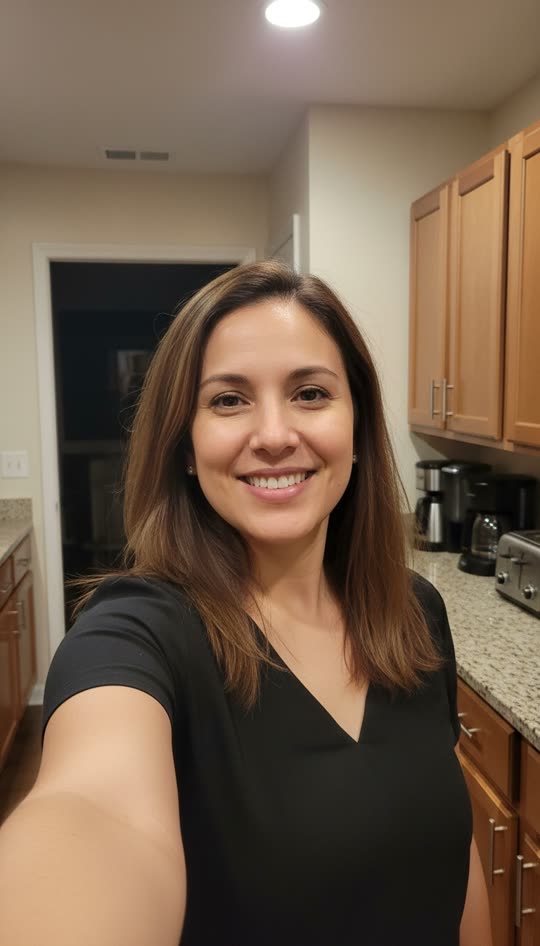
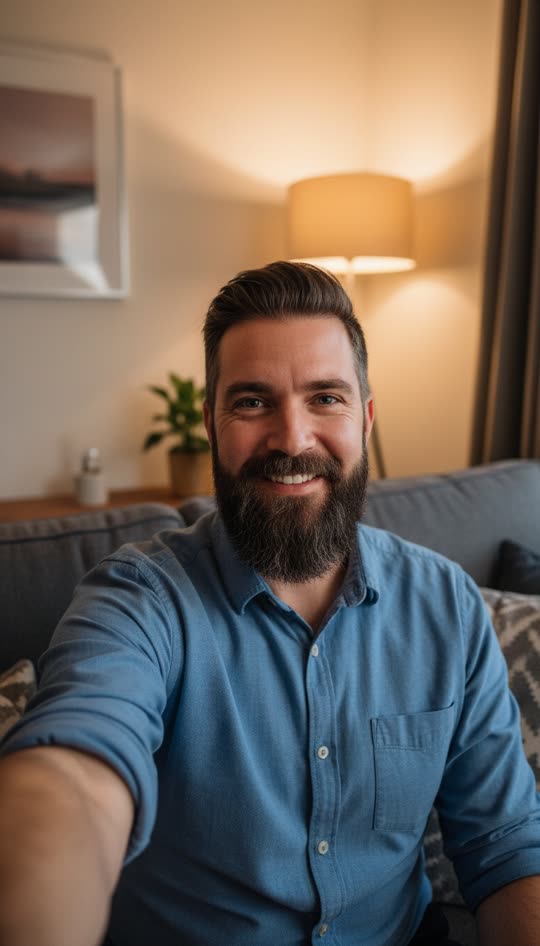
Use a front-camera selfie with some room behind your shoulder. No mirror selfies (the mirror gets its own ghost).
Free preview of the first 5.5s. Unlock the ending + HD download from $4.99. Sign in when you click Generate.
Before and after
One photo in, an 8 second video out. Examples use AI-generated adult models.
What is the ghost filter prank?
The ghost filter prank is the TikTok trend where someone films a normal selfie video and a ghost quietly appears behind them. The person keeps smiling and talking, the viewer spots the ghost, and the reaction is the whole point.
Ghost Filter Prank AI makes that video from a single photo. Our AI animates your selfie so you blink, smile and move naturally, then adds an opaque grey ghost with long hair and huge white eyes rising behind your shoulder. Your face, your room and your lighting stay the same, so it looks like it really happened.
You get an 8 second vertical MP4 with an eerie hum and a sound sting, ready to send to a friend or post on TikTok, Reels or Shorts. There is nothing to install and nothing to film: one selfie, two clicks and about a minute of waiting. The ghost is designed to be creepy rather than gory, with no blood or wounds, so the video is easy to share for Halloween, in a family group chat or on a public account.
What happens in the 8 seconds
Every video follows the same slow build that makes the TikTok trend work. Nothing jumps out in the first frames, so the person watching relaxes before they notice something is wrong.
0–2s: a normal selfie
You blink, breathe and smile into the camera. The space behind your shoulder is empty, so it looks like any other selfie video.
2–4s: something peeks out
First a strand of long grey hair, then one huge white eye, then half of her face slides out from behind you.
4–5s: she moves in
The ghost glides forward until her face is right beside your cheek, the same size as yours, staring straight into the lens.
5–8s: the ending
In Slow creep she stays cheek to cheek and slowly tilts her head. In Sudden lunge she snaps toward the camera at 6 seconds. You keep smiling the whole time.
How to make a ghost filter prank in 3 steps
- 1
Upload one selfie
Pick a clear, face-to-camera selfie with a little room behind your shoulder. Front-camera photos work best; skip mirror selfies.
- 2
Pick the scare
Slow creep has the ghost rise slowly until she is cheek to cheek with you. Sudden lunge adds a fast snap toward the camera at the end.
- 3
Generate and send
Click Generate, sign in with Google, and get an 8 second 9:16 MP4 in about a minute. Download it and send it or post it on TikTok.
Slow creep vs Sudden lunge: which one to pick
Both styles use the same ghost and the same first five seconds. The difference is how the video ends, and that changes how people react.
| Slow creep | Sudden lunge | |
|---|---|---|
| Ending | Ghost stays cheek to cheek and stares | Ghost snaps toward the camera at 6s |
| Feeling | Creepy, "wait, what is that?" | Jump scare |
| Sound | Soft sting at 4s | Loud sting at 6s |
| Best for | Group chats, "did you see it?" posts, replays | Reaction videos, late-night texts |
| Who it suits | People who scare easily | Friends who love horror |
Not sure? Start with Slow creep. It is the version most people recognize from TikTok, and if it is not scary enough you can use the free regenerate to try Sudden lunge on the same photo.
Halloween prank ideas
Mom
Send "Just got home, all alone tonight 🙂" with the Slow creep video. Wait for the call.
Partner
Send a "missing you" selfie video before bed. Sudden lunge works best after the lights are off.
Roommate
Use a selfie taken in your shared hallway or kitchen, then ask: "Did you hear something in here last night?"
Friends
Drop it in the group chat as a "new filter test" with no warning. Count how many people zoom in.
Why the ghost filter prank works so well
The scare comes from the contrast. You look happy and relaxed, completely unaware, while something terrible is right next to you. Viewers feel like they know a secret you do not, and that makes them watch again and again.
It also looks real. The ghost is lit like your room, sits behind you in 3D, and your own face keeps moving naturally. There is no sticker edge or floating cut-out, which is why people zoom in and ask "is this real?" in the comments.
Finally, it is short. Eight seconds is long enough to build tension and short enough that people watch to the end, which is exactly what TikTok, Reels and Shorts reward.
Ghost Filter Prank AI vs an in-app ghost filter
One photo, no filming
In-app filters need you to record live and hold still. Here you only upload a selfie, even an old one from your camera roll.
The ghost is part of the scene
Instead of a flat overlay, the ghost is generated into your room with matching light, so she can move behind your shoulder and up to your face.
Works for any platform
You get a normal 9:16 MP4 with sound. Post it on TikTok, Instagram Reels, YouTube Shorts or Snapchat, or just send it in a chat.
Your face stays yours
Your face, hair, clothes and background stay as they are in the photo. Only the ghost is added.
Tips for the scariest result
Leave room behind you
The ghost needs space over your shoulder. A doorway, hallway or dark corner behind you is perfect.
Face the camera
Front-camera selfies with your face clearly visible give the most natural animation.
Normal lighting, not a studio
A slightly dim room sells it. Very dark or heavily filtered photos make the face harder to animate.
No mirror selfies
A mirror shows the scene twice, so it can end up with two ghosts.
Keep the sound on
The eerie hum and the sting are part of the scare, especially on TikTok.
One ghost or a whole haunting?
Try a free 5.5s preview first. Choose a pack for the full 8s video and HD download. Pay once, no subscription.
1 video
$4.99USD
$4.99 per video
- 8s vertical MP4 with sound
- HD download, no watermark
- One free regenerate per video
- Credits never expire
3 videos
$9.90USD
$3.30 per video
- 8s vertical MP4 with sound
- HD download, no watermark
- One free regenerate per video
- Credits never expire
10 videos
$19.90USD
$1.99 per video
- 8s vertical MP4 with sound
- HD download, no watermark
- One free regenerate per video
- Credits never expire
1 credit = 1 full video. Sign in before checkout to keep your credits in your account.
FAQ
Is the ghost filter prank free?
Every new account gets one free preview: the first 5.5 seconds of your own video with a small watermark, so you can see the ghost appear next to you. It stops just before the ending. The full 8 second video with the ending, no watermark and an MP4 download costs $4.99, or $9.90 for 3 and $19.90 for 10. It's a one-time payment, not a subscription.
How long does it take?
Usually about a minute. The finished video is 8 seconds long, vertical 9:16, with an eerie sound sting.
Does it work with any photo?
It works best with one person looking into the camera, with some background visible behind the shoulder. Group photos, very dark photos and mirror selfies give odd results (a mirror can get its own ghost). Only upload photos of adults who are fine with being pranked.
Is it safe for kids to watch?
The ghost is creepy, never gory: no blood, no wounds, no skulls. It is still a scare, and Sudden lunge is a jump scare, so for younger kids pick Slow creep or watch it together first. Please do not upload photos of children.
Can I post it on TikTok?
Yes. The video is already 9:16 MP4, the format TikTok, Reels and Shorts expect. Download it, upload it in TikTok and keep the original sound on for the sting.
What if the video is not scary enough?
Every paid video comes with one free regenerate. Pick Slow creep or Sudden lunge and we make a new take from the same photo.
What happens to my photo?
Your photo is only used to make your video. It stays in your browser until you click Generate, and we never use it for anything else.
Should I pick Slow creep or Sudden lunge?
Pick Slow creep when you want people to spot the ghost themselves and replay it. Pick Sudden lunge when you want a jump scare at the end. Both start the same way, so you can make one of each from the same photo.
Do I need to download an app?
No. It runs in the browser on iPhone, Android, Mac and Windows. You upload a photo, sign in with Google and download the finished MP4.
Can I use a photo of a friend?
Yes, if they are an adult and you know they are fine with a harmless prank. Do not use photos of strangers, public figures or anyone under 18.
Why does every video look a little different?
The ghost is generated fresh each time, so her timing, head tilt and hair move a little differently on every take. The look stays the same: opaque grey skin, long grey hair and huge white eyes.
What if my photo gets blocked?
Our safety check sometimes flags a normal selfie by mistake. If that happens you are not charged and your free preview is not used. Try a clearer, well-lit face-to-camera photo, or retry with one click.